Connect to ZipRecruiter
Connecting your ZipRecruiter account to Bulk Apply is a crucial step in automating your job search process. By linking your ZipRecruiter profile, you’ll be able to:
- Automatically apply to jobs that match your preferences and skills
- Save time by letting Bulk Apply handle the application process, including answering screening questions
- Skip repetitive form-filling with automated responses to standard job application questions
Steps to Follow
Follow these steps to connect your ZipRecruiter account:
- Open an adjacent tab in the same browser
- Go to www.ziprecruiter.com and login with your credentials
- After successful login, click on the previous tab of bulk apply
- Click on “CONNECT” in the Ziprecruiter Column
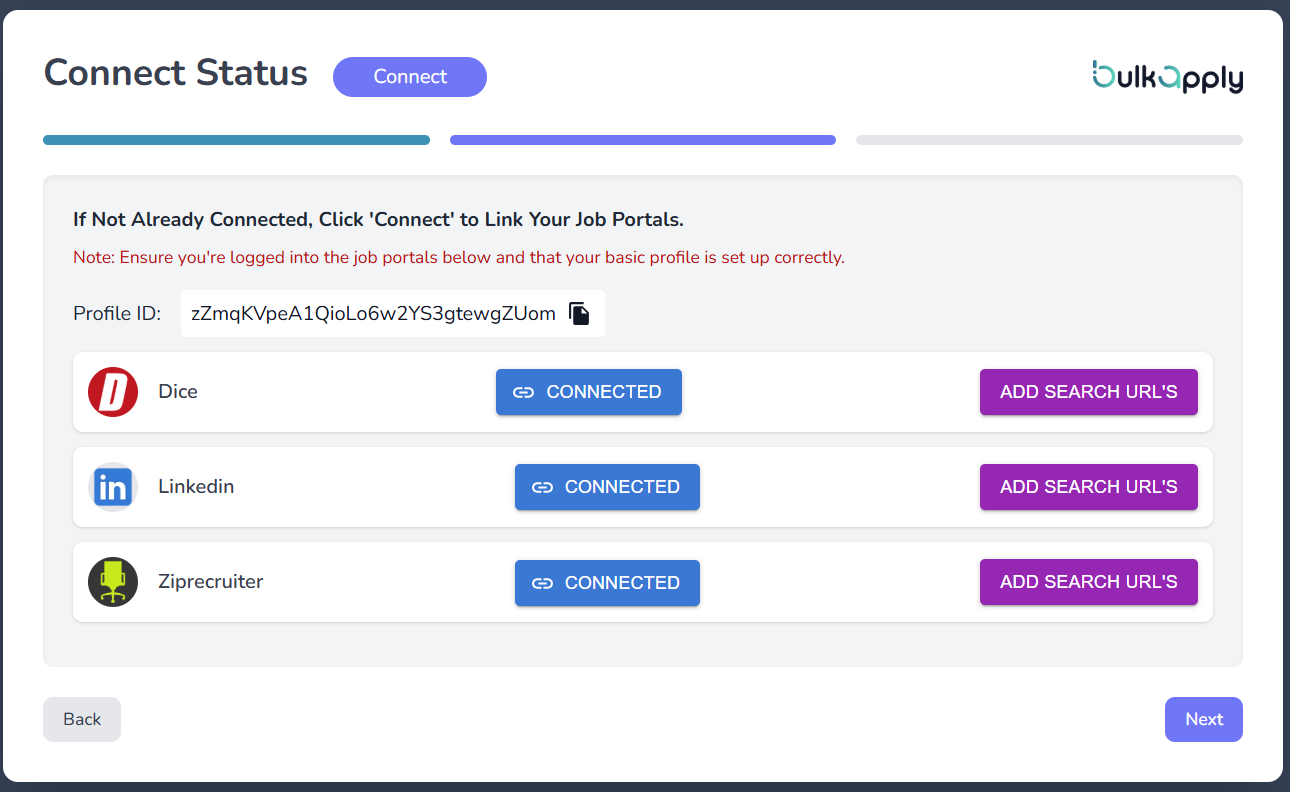
- Congratulations !! Now you are connected
⚠️
Important Reminder: After connecting to the portal(s) using Bulk Apply, please do not log out. You may close the browser window, but you need to remain logged in nor change the portal’s credentials; otherwise, teh connected portals will be disconnected.
What’s Next?
Now that Ziprecruiter is connected, it’s time to Connect other portals or Jump to Scheduler: